
You open ChatGPT, ask a simple question, and you get a fast, clean answer. Then you ask for a full plan, a spreadsheet, a code fix, and a draft email, all in one go, and it still keeps up.
That jump in “it can actually handle this whole thing” is what most people mean when they talk about ChatGPT 5.2. But here is the important detail: ChatGPT is the product. GPT-5.2 is the model family that powers it. In 2025, GPT-5.2 is the default model inside ChatGPT for most users, and it comes in a few variants depending on whether you want speed or deeper reasoning. This blog breaks down what GPT-5.2 is, what changed, and how it compares to other models you may still see in ChatGPT or the API.
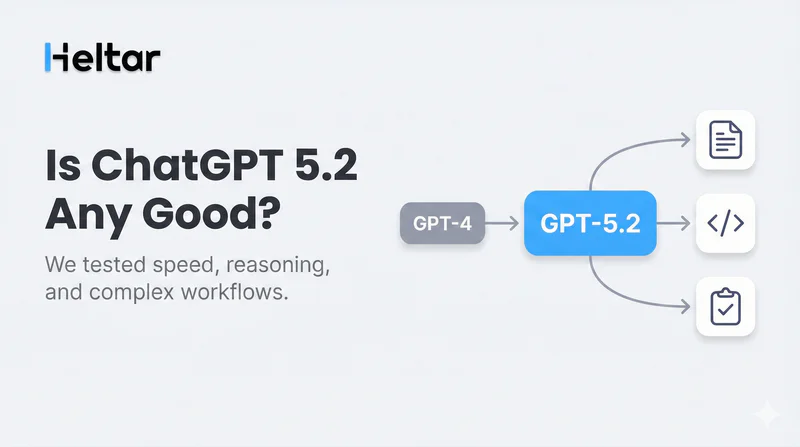
Key Takeaways
GPT-5.2 is the latest model family in the GPT-5 line and is the default in ChatGPT for most users.
It is built to be better on complex, multi-step work, strong tool use, and long context tasks.
In ChatGPT, you may see variants like Instant, Thinking, Pro, and Auto, each with a different tradeoff between speed and depth.
Older options like GPT-4o, GPT-4.1, and the o-series still exist in many plans as legacy or additional models, but GPT-5.2 is usually the best first choice.
What Is GPT-5.2 In ChatGPT?
GPT-5.2 is a newer version in the GPT-5 family. OpenAI positions it as a flagship model for work that needs strong reasoning, reliable tool use, and consistent results across longer tasks.
In practical terms, GPT-5.2 is meant to do better when your request is not a single question, but a project:
“Read this, extract the key data, build a table, then write the summary.”
“Plan a campaign, draft the messages, and give me a tracking sheet format.”
“Fix this code, explain the change, and add tests.”
It is also designed to be strong in structured outputs like tables, step lists, and docs, which matters a lot for business workflows.
What Models Does “GPT-5.2” Include?
Inside ChatGPT and the API, GPT-5.2 shows up as a family, not a single switch. Here is the simple way to think about it:

GPT-5.2 Auto
This is the “let the system decide” option. It routes your request to the right mode depending on what you asked, so you do not need to choose every time.
GPT-5.2 Instant
Use this when you want speed. It is great for quick drafting, short answers, and rapid back and forth.
GPT-5.2 Thinking
Use this when the task needs careful steps, tricky logic, or you are combining many parts. It will usually be slower, but stronger on harder work.
GPT-5.2 Pro
Use this when you want maximum quality and precision, and you do not mind extra cost or latency. It is aimed at the hardest tasks and longer work sessions.
How Is GPT-5.2 Different From GPT-5.1 And GPT-5?
If you used GPT-5 or GPT-5.1 earlier, GPT-5.2 will feel similar in style, but more consistent when the request gets messy.
Here are the differences that most users notice:
Better At Multi-Step Work
GPT-5.2 is built to stay on track across longer tasks. It is less likely to lose the goal halfway through, especially when you ask for multiple outputs at once.
Cleaner Output Shapes
A lot of real work depends on formatting: tables, checklists, templates, and clear sections. GPT-5.2 is tuned to produce cleaner structures with less noise.
Stronger Tool Grounding
When ChatGPT uses tools (like browsing, file handling, or structured outputs inside apps), the model needs to keep its actions aligned with the request. GPT-5.2 is designed to be better at that kind of “do the steps, then answer” workflow.
Better Long Context Handling
GPT-5.2 supports very large context windows in the API. In plain terms, it can handle more input at once, which helps with long docs, logs, or big project threads.
How Is GPT-5.2 Different From GPT-4o, GPT-4.1, And The o-Series?
You may still see older models in ChatGPT, especially under legacy or additional models. They still have use cases.
GPT-4o
GPT-4o is strong, fast, and flexible, and many people still like its tone for everyday chat and writing. But GPT-5.2 is positioned as stronger for longer, more complex work and agent-like tasks.
GPT-4.1 (And Smaller 4.1 Variants)
GPT-4.1 is often described as a strong non-reasoning model. In practice, it can be great when you want fast, direct instruction following without “thinking mode” behavior.
o-Series Reasoning Models
The o-series models were built for reasoning-heavy tasks. Depending on your plan settings, they may still be available. GPT-5.2 is meant to cover a lot of that ground while also being better as an all-around model for mixed tasks, not just pure reasoning.
A simple rule that works for most people:
If you want one default that handles business work well, pick GPT-5.2.
If you want a legacy option for a specific feel or a specific workflow, use GPT-4o or another legacy model.
Which GPT-5.2 Variant Should You Use?
Here is a clean cheat sheet:
Use GPT-5.2 Instant When
You need quick drafts and short answers
You are brainstorming options
You are iterating fast and do not need deep analysis
Use GPT-5.2 Thinking When
You are doing planning, analysis, or debugging
You need step-by-step reasoning
You want fewer mistakes on complex tasks
Use GPT-5.2 Pro When
The work is high stakes (business critical, compliance heavy, or very technical)
You want the most careful output
You are fine with slower responses
Use GPT-5.2 Auto When
You do not want to think about model choice
Your tasks vary a lot through the day
Why This Matters For Businesses Using WhatsApp Automation?
If you are running WhatsApp for support, lead capture, booking, or reminders, GPT-5.2 can help in two ways:
Better conversations: more accurate replies, better context handling, and cleaner flows.
Better operations: clearer templates, better routing logic, and more reliable automation steps.
This is exactly where Heltar fits in.
Why businesses need a provider to do this for them?

Heltar is a WhatsApp Business API provider built for these needs.
Shared inbox, roles, and assignments so sales can work from one place.
Automation inside the inbox, plus quick setup for keywords, menus, and forms. You can create a WhatsApp chatbot using a drag-and-drop, no-code chatbot builder. Just one AI prompt, and you have your automation ready to be deployed. You can't get this luxury on n8n.
Template workflows for approval, variables, and safe bulk sends. You create templates and get them approved within seconds, ready to be launched as part of bulk messaging campaigns.
Campaigns and segments with schedules and rate control. Schedule and Fire any campaign in less than a minute, marketing made simple!
Live reports for delivery, reads, failures, leads, and outcomes.
If this is what your business needs, get a demo with Heltar today!